I am relatively new to API testing so I have very little experience using API testing in real projects.
I can recall one interesting example where I found a problem.
I was testing a workflow approval scenario. The workflow went through various stages: submit workflow, review, onboard user, approve/reject, etc. There were multiple types of fields (text, number, boolean, list, muli-list) that had different states (editable/locked) depending on the stage of the process and user permissions.
After initial exploration using UI, I tried to manipulate fields using API. This is where I discovered interesting thing: I could update one of the fields using “Edit and resend” feature in Firefox although the field was “locked” (not editable using UI).
I find this feature very helpful. You can edit and resend previous API requests and explore how application responds directly in the browser without launching external tools like Postman.

Another example is related to issue where our app was using this ABN lookup service Web services | ABN Lookup to return company name when user enters business number. Using exploratory testing I discovered that for certain types of business entities it did not work.
Later when I learned more about using Chrome console, I experimented with this test using another way. Instead of trying to submit different data through UI manually and see the result, I used “copy as Fetch” feature of Chrome. This gives you JS code that you can edit and resend in console.
I created an array of 100 business numbers and used the copied fetch request to run it in a loop passing one element from my array at a time. I did it directly in Chrome console. It took less than 1 sec to check the response against 100 elements.
This is another example of how API skills can help us test better and faster. Yes, it took some time to write the code but I think it was worth it. Next time I can reuse this template and it will save me time when I need to test against a large set of data.
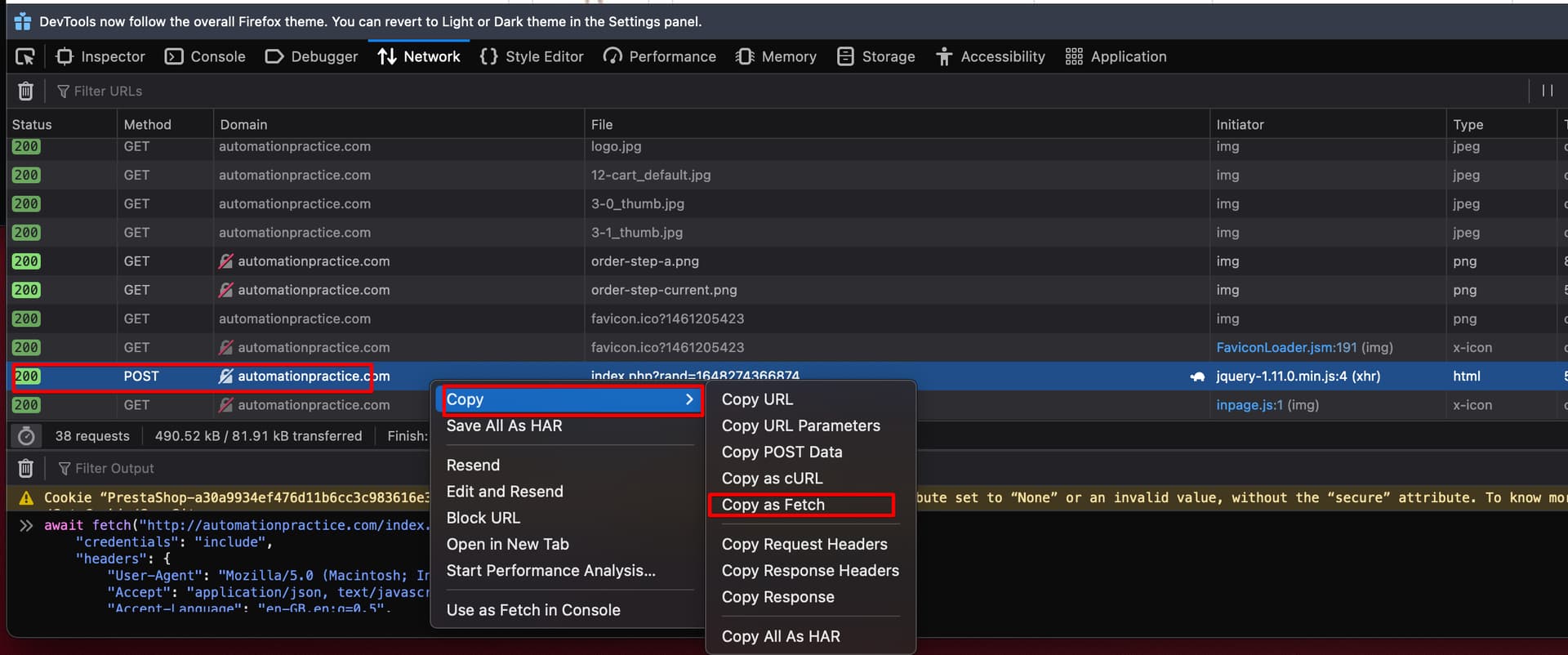
Here is example
async function postAbn(url = '', data = {}) {
 const response = await fetch(url, {
    "credentials": "include",
    "headers": {
               ...
    },
    "body": JSON.stringify(data),
    "method": "POST",
    "mode": "cors"
});
return response.json();
}
Use async function and array to run multiple requests
arr = ["62 056 429 504","62 726 330 943"]
arr.map(n=>postAbn('https://host/api/bus-number', {"businessNumber":`${n}`}).then(data => { console.log(data["organisationName"]); }))