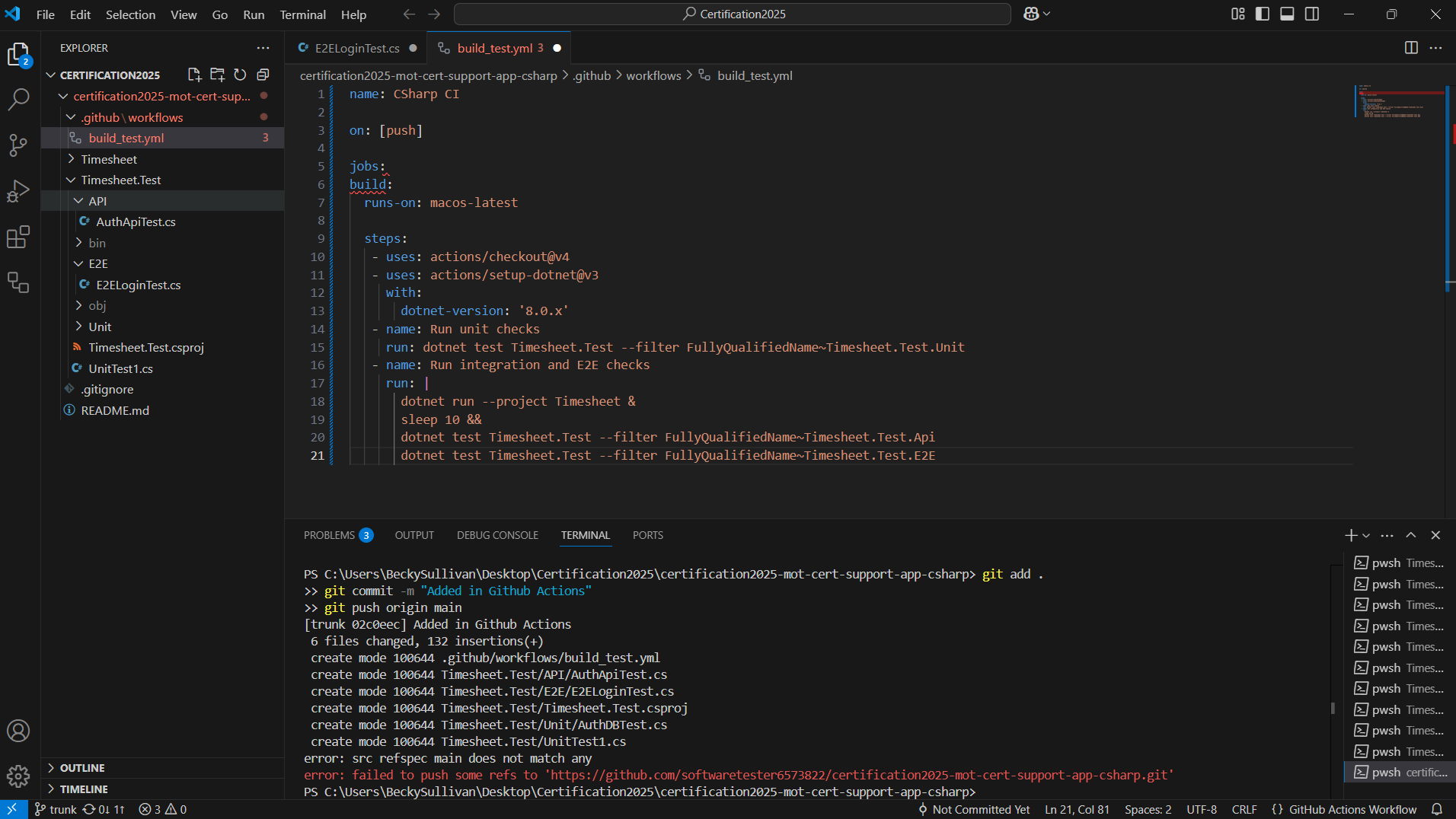
I am working on the C# automation course and I have created the .github, workflow and build_test.yml items, which turn red in VS when created.
I carried on anyway, just to see what would happen, and committing to git also didn’t initially work.
I worked the commit issue out, as the command given in the documentation being wrong:
git add .
git commit -m "Added in Github Actions"
git push origin main
When I cloned the MoT repository, it created a trunk rather than it being main… I was only given an option to create a fork from the MoT repository, which resulted in my ‘main’ being a trunk.
Is this something in my config, or something that I needed to change and haven’t, or is there something that needs to be updated in the documentation?
When I changed the last line from main to trunk, I then got an authentication pop up through my browser and that appeared to work, but the red folders persist.
Is this something to do with it being pushed up to my git repository (or not)?
The red squiggly line under line 5 and 6 is there because build: on line 6 is not tabbed in one indentation. Yaml files are strict with how they are structured and need to be tabbed correctly. As build is a child option of jobs it must be tabbed in with a single tab.
The trunk / main thing isn’t something to be particularly worried about. As you mentioned you’ve worked out to change the command from trunk to main. In the end they are just names for branches, so for now stick with main. It will be fine.
The indentation is incorrect.
I don’t know what VSCode extensions you may have installed, but you can normally get some good ones for the type of yaml you are writing. This may create additional things to install / understand, so might not be worth it for now.