Testers are often told they should automate parts of their testing, but time constraints and shifting priorities can make that tough. Another challenge is having team-mates who aren’t comfortable with code, so we need alternatives.
Low-code test automation tools help by allowing fast, record-and-playback test creation and a gentler learning curve. It’s not all sunshine and roses, though. These tools bring benefits and drawbacks.
When low-code test automation tools can be a good choice, and when it’s better to roll up your sleeves and use tools like Selenium, Playwright, Cypress, and so on.
First-hand insights into the strengths and limitations of several low-code tools in a real project context
How to choose a tool by trial and comparison
After reading, let’s discuss …
Have you used similar tools? What did you like and what frustrated you?
Any extra tips for picking the right low-code tool?
Thank you! I spent quite a bit of time, along with my teammates, trying out and researching several of these tools, and if you are in a similar situation, I’m hoping you can find something useful in the article.
In my work, I have done poc projects with UIPath and Katalon Studio. I have personally stuck with Cypress and am now looking into Playwright.
From the old QTP and UFT days right up to these newer tools, I have noticed they tend to be really heavy on system resources. They also are’t very flexible when it comes to integrating with test management and CI tools.
I completely agree with you on the pricing issue. A few years ago, I actually managed tool vendors and licensing, and the models vary wildly from single licenses to small group and even organization wide packages. On top of the test automation tools, these companies often bundle in other tools. Unless a company has deep pockets or tieups, its hard to afford them, especially now that more big players are entering the market.
I am actually planning to write something up about all of this.
A couple of additional issues I noticed with several of these tools is that they get confused when navigating to new tabs or going back to previous times.
Also, when using relative URLs some will automatically add escape character, which will cause the ULR to not work, or at time the config file will not get picked up, during test setup phase and the test will fail.
Guys, just stick to ChatGPT! (It has done wonders for me)
Pay the premium service it’s worth it.
Although you do gotta learn how to prompt, and iterate until you get the result you want.
There are several courses on Udemy that teaches you how to do that just search for something like: QA Testing LLM, or QA Auto AI.
What works best for me?
I just talk to ChatGPT like a friend LOL. These LLMs are configured to learn from the user interactions, use the like button when you like the answer, and the dislike button when you don’t like the answer to keep teaching him, and start customizing your experience with the AI.
In my previous role I have done POC on Applitools Eyes & TestGenAI by cypress (its paid so just explored it).
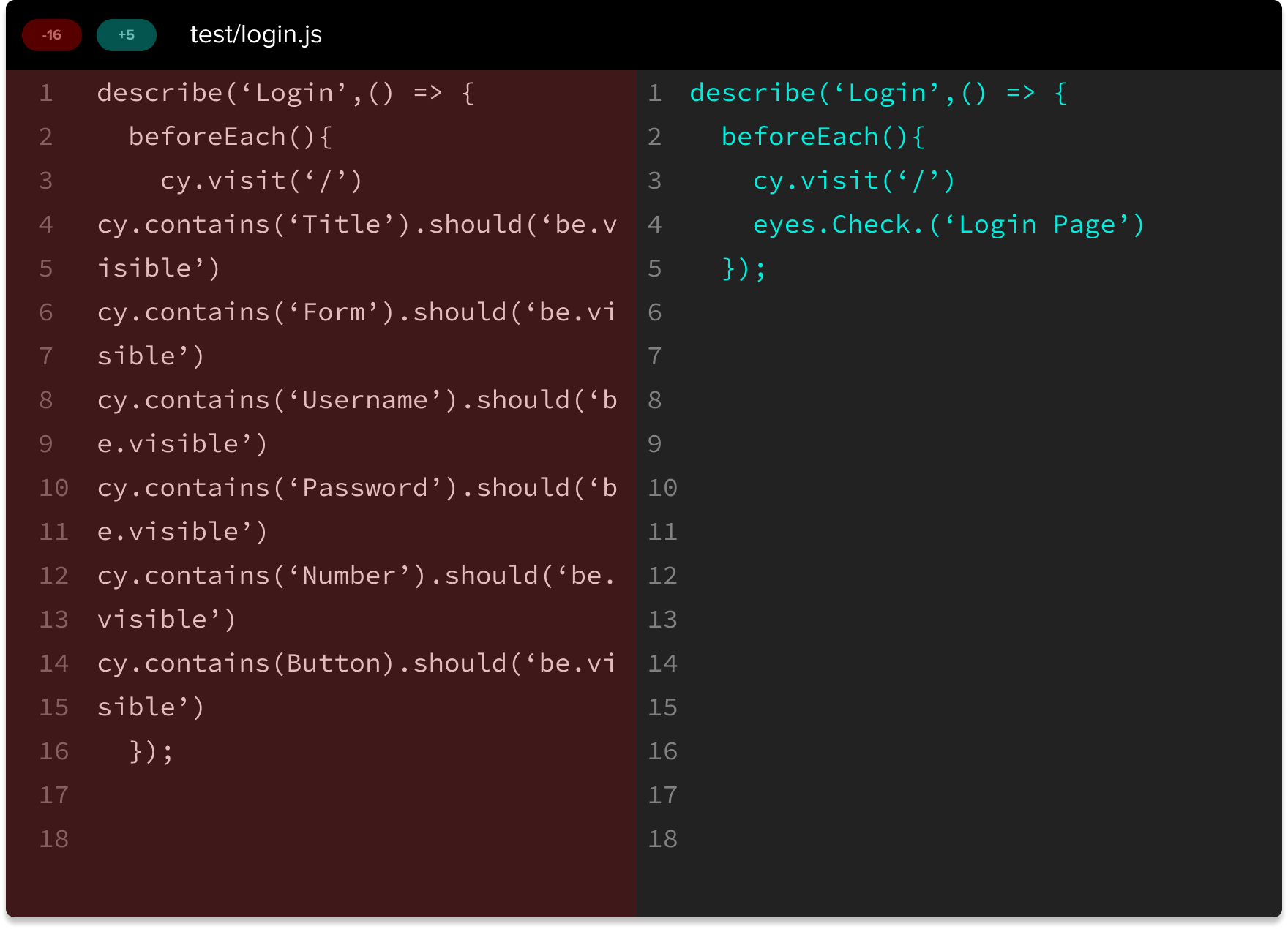
Where as Applitools eyes gives 100 test cases per day for free. I really liked it, there is some code involved but its really easy to write and understand, easy for those who have some context of coding may be not all. Applitools eyes gives you code like: cy.check(login page).
Its more like a visual testing AI tool. out team absolutely loved it exploring back then!
Edit: In terms of tips depend upon what is the expectation, if the product require to verify images and pixels not been able to pick by human eyes, Applitools eyes is awesome tool for low code- TestGenAI, EyesAutonomous. Where as for non visual testing - I believe Github copilot would be helpful to generate code and anyone with some understanding of the code can correct it with insightful prompts!
@mirza you have captured it very well, at my workplace never got a chance to work on low code automation tool, but we are thinking of it near future , these points mentioned will definitely come handy thank u
To be perfectly honest, I’d prefer a tool like Playwright, but I guess that management wanted faster results, so they went with the paid options. Each has its pros and cons, of course.
Thanks for the article sharing your experience. It was really interesting. I have reviewed low-code test automation tools myself a few years ago and was wondering how they have advanced. Seems like they are much better, but still have a way to go till they can really replace a custom framework like Selenium or Playwright
Does anyone have any experience of using Datadog for running low-code automation? My team and I are starting out on this automated testing journey and this tool is used elsewhere in my organisation for monitoring, so we’re looking at starting with that.
From my usage so far, it seems to do the basics but I have struggled to find any forums or help pages for how to best use it.